VLPremier Pro Tutorial: From First Clip to Finished Video
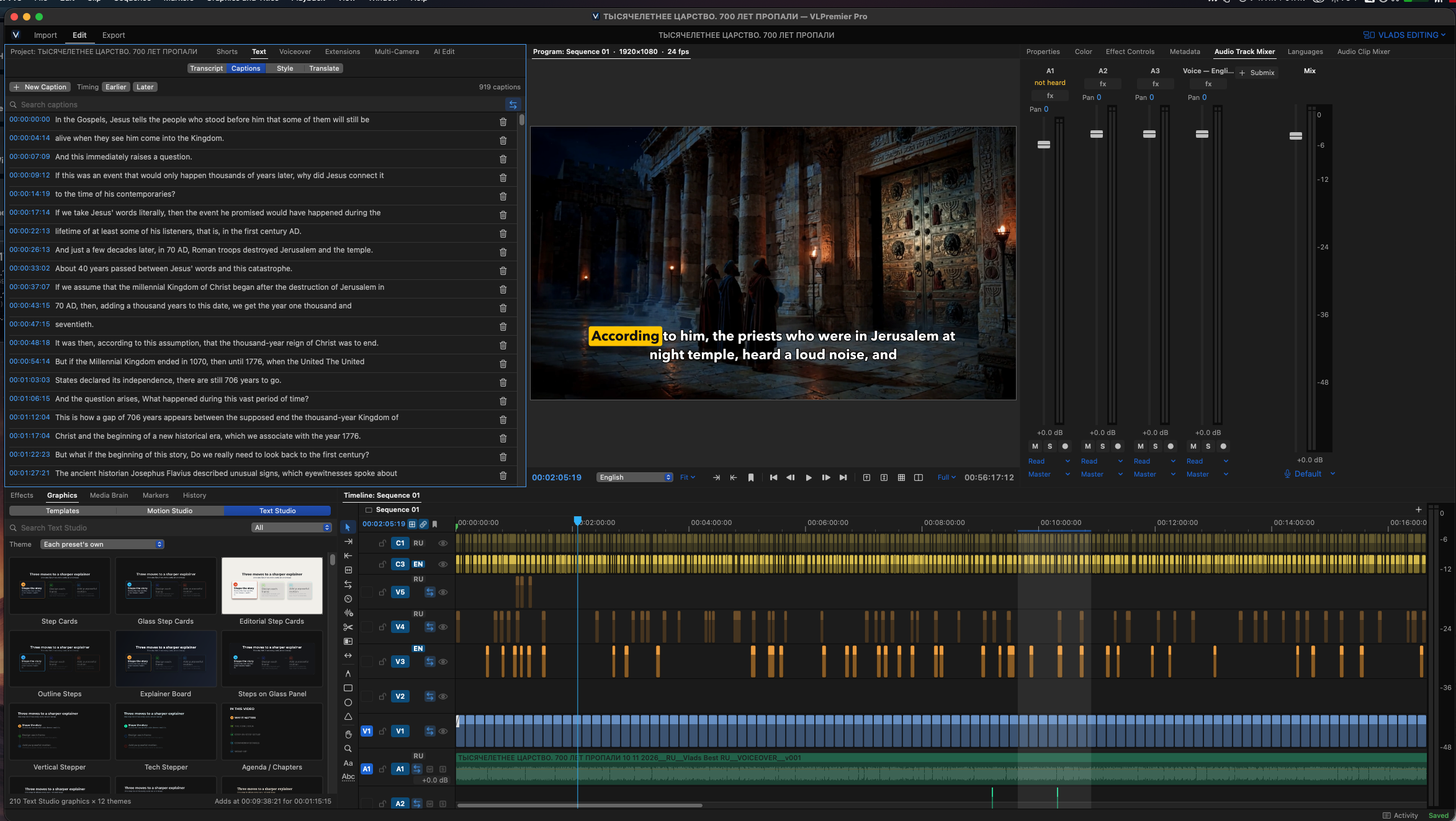
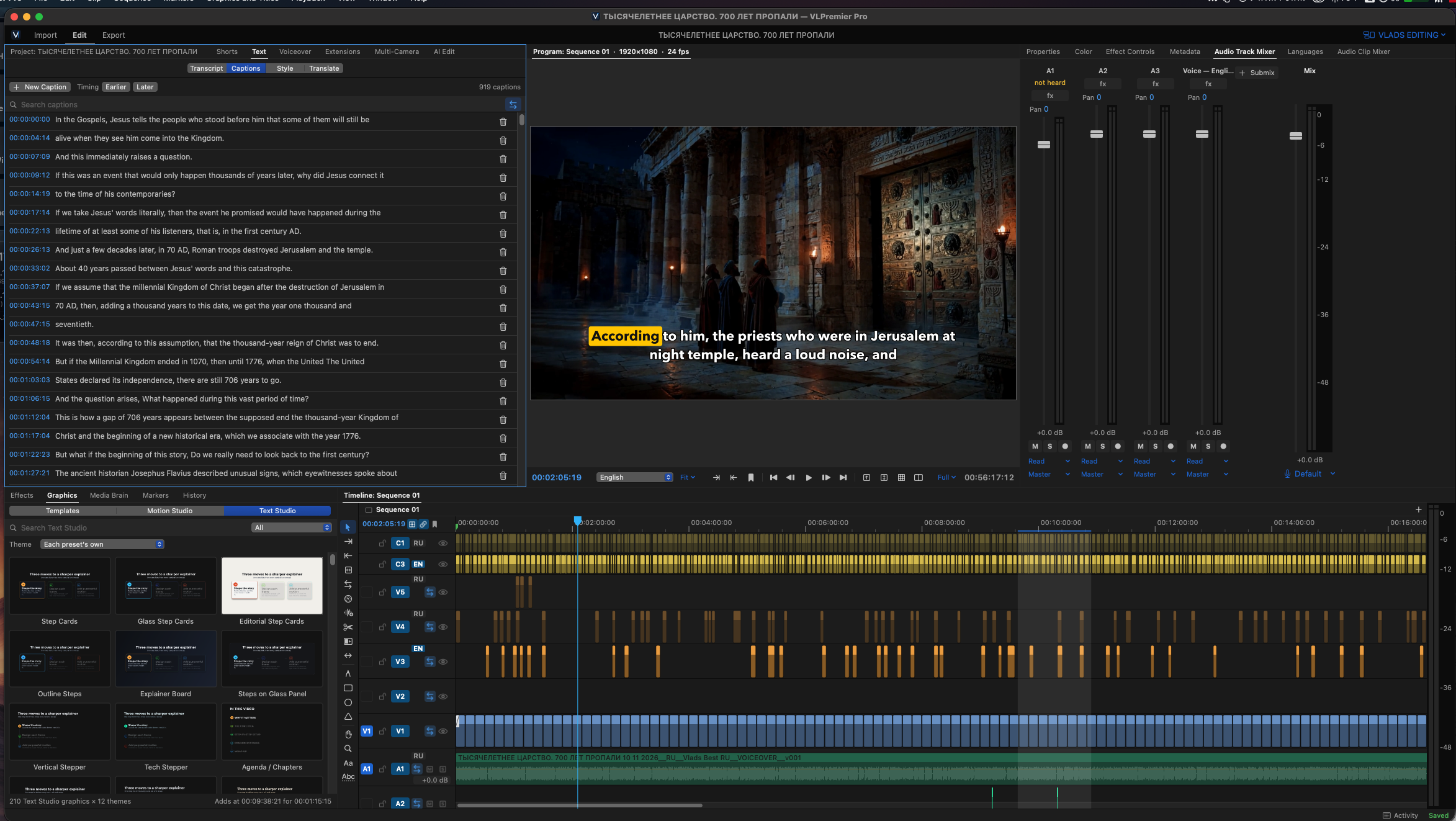
We built VLPremier Pro for our own video productions. In this tutorial, we open a real project and show the editing workflow: importing footage, cutting scenes, creating and styling captions, preparing voiceovers, adding titles and motion graphics, finding Shorts inside longer videos, polishing sound and color, and exporting for different...
Open details +
We built VLPremier Pro for our own video productions. In this tutorial, we open a real project and show the editing workflow: importing footage, cutting scenes, creating and styling captions, preparing voiceovers, adding titles and motion graphics, finding Shorts inside longer videos, polishing sound and color, and exporting for different platforms.
WHY WE BUILT IT
Our productions include long documentaries, last-minute voiceover changes, precise captions, and Shorts made from the same timeline. VLPremier Pro is being developed to bring those tasks together in one video editing application.
DEVELOPMENT STATUS
VLPremier Pro is a VL Video Pro application currently in active development and internal testing. This walkthrough is a preview of our production workflow, not an announcement of a public release.
Our studio: https://www.webpronc.com/
Which feature would you like us to explore next: captions, voiceover, Motion Studio, Shorts, or exporting? Let us know in the comments.
Download and open
Download is not available yet. Check the app page or contact support.
Reviews
No approved reviews yet.
Screenshots